.png)
Gemini’s Visual Revolution: A Deep Dive into the Google Maps Update That Puts AI in the Driver’s Seat
The latest and most significant leap is the deep, visual integration of Google Maps, fundamentally reshaping how users perform local search.

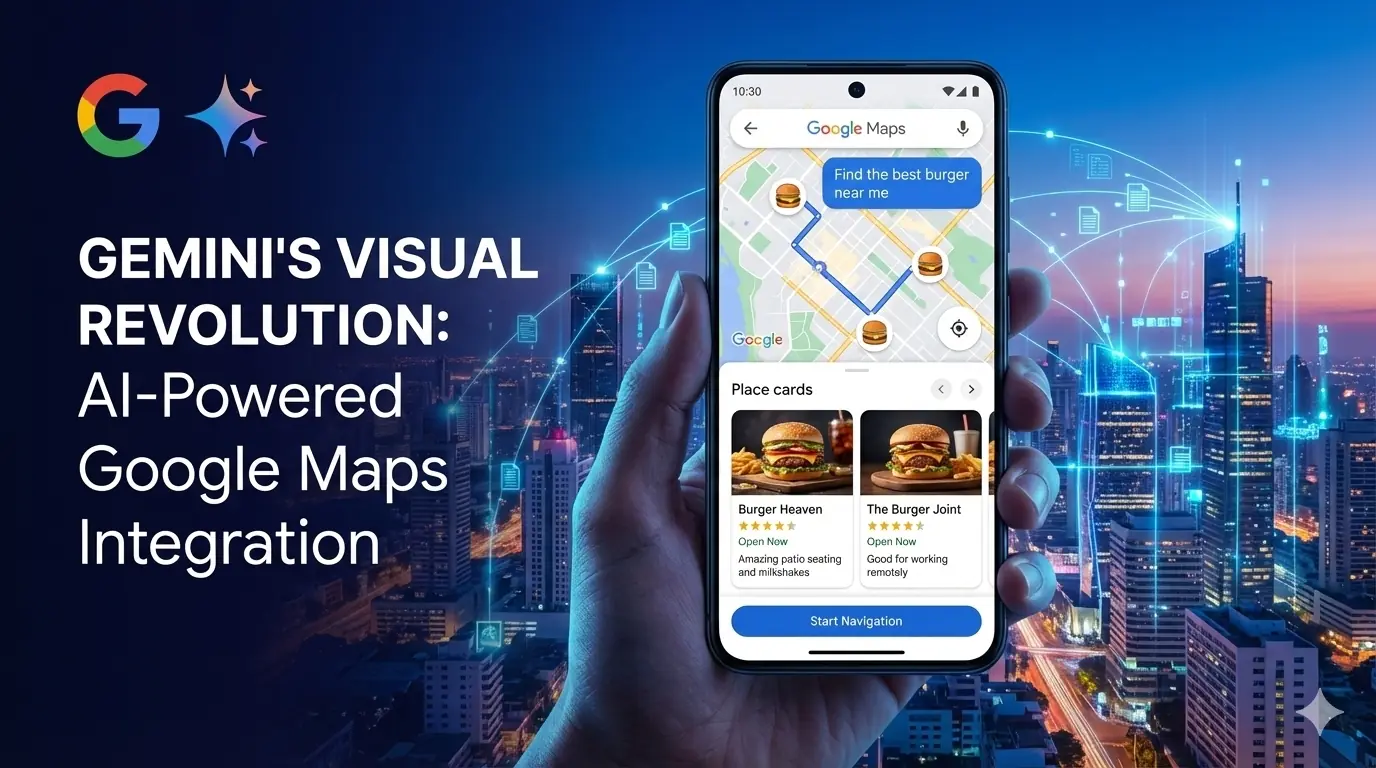
The Google Gemini app is rapidly evolving from a simple conversational tool into a highly visual and context-aware digital assistant. The latest and most significant leap is the deep, visual integration of Google Maps, fundamentally reshaping how users perform local search. This update is not just a feature tweak; it’s a commitment to conversational discovery, solving a major friction point in the user journey and highlighting the power of artificial intelligence in Google Maps.
Here is an in-depth breakdown of the new Google Map feature and why it's a true game-changer.
1. Solving the App-Switching Problem: Map-First Interface
For years, searching for a nearby place meant navigating a tedious loop: ask an AI, get a text list, then manually switch to the separate Google Maps app to visualize the locations. This friction is precisely what the new Gemini update eliminates.
The Key Shift: When you ask a location-based query—such as "Find the best burger map near me" or "Where can I find a park?"—the Gemini app now prioritizes geographic context. The response immediately places an interactive map on google at the top of the interface. This visual-first approach means you are oriented instantly, making it far quicker to evaluate distance, travel time, and the spatial relationship between your current position and the potential destinations.
2. Richer Visual Data for Faster Decision-Making
The map itself and the associated results have been infused with detail, allowing for "glanceable" decision-making:
- Smarter Pins: Gone are the generic red location pins. The new features in Google Maps are represented by category-specific, emoji-style icons (e.g., a briefcase for business, a coffee cup for a café). This visual shorthand makes scanning a crowded area intuitive and efficient.
- Enhanced Place Cards: Below the map, results are presented as highly visual, information-dense cards drawn directly from the immense Google Maps database. Each card now includes:
- A large, high-quality photo of the location.
- Essential data points like the star rating, business hours (and whether it’s currently open), and distance.
- Crucially, new review summaries and user tips are highlighted, powered by Gemini Google AI. These snippets summarize what patrons "talk most about" (e.g., "amazing patio seating" or "good for working remotely"), providing instant, qualitative context beyond a simple star rating.
3. AI-Driven Conversational Filtering and Navigation
The true intelligence of this Gemini integration lies in its ability to process complex, natural language follow-up queries:
- Dynamic Filtering: You can continue the conversation with instructions like, "Filter for places with outdoor seating," or "Show me spots open after 10 PM". The Gemini AI processes the request and instantly adjusts the live map and the result cards to match the new criteria. This allows for powerful, multi-step refinement without leaving the chat interface.
- Seamless Google Maps Navigation: Once you choose a destination, the dedicated card provides a clear call-to-action button, instantly linking you to the full Google Maps navigation experience for turn-by-turn directions. This creates an elegant handover between the AI discovery phase and the practical execution phase.
By leveraging AI to both understand your intent and visually curate the geographic data, the Gemini app is cementing its role as the definitive starting point for finding and exploring the real world. This visual update is rolling out now to Gemini mobile app (Android and iOS) and web users, making local discovery smarter and more engaging than ever before.


Let's discuss your goals


They moved the project very smoothly.

They truly understood our vision and translated it into a polished product with a seamless UX.

Attentiveness to detail and excellent design skills are impressive.