January 27, 2026

Beginner's Guide to Popular Software Types

Get a 101 guide on The Most Popular Types of Software, from system to application, cloud & mobile. Power your digital world.
Author Image
Madina M
and updated on:
February 25, 2026
Blog Image

Why Understanding Software Types Matters for Your Business

software and hardware - 101 on The Most Popular Types of Software

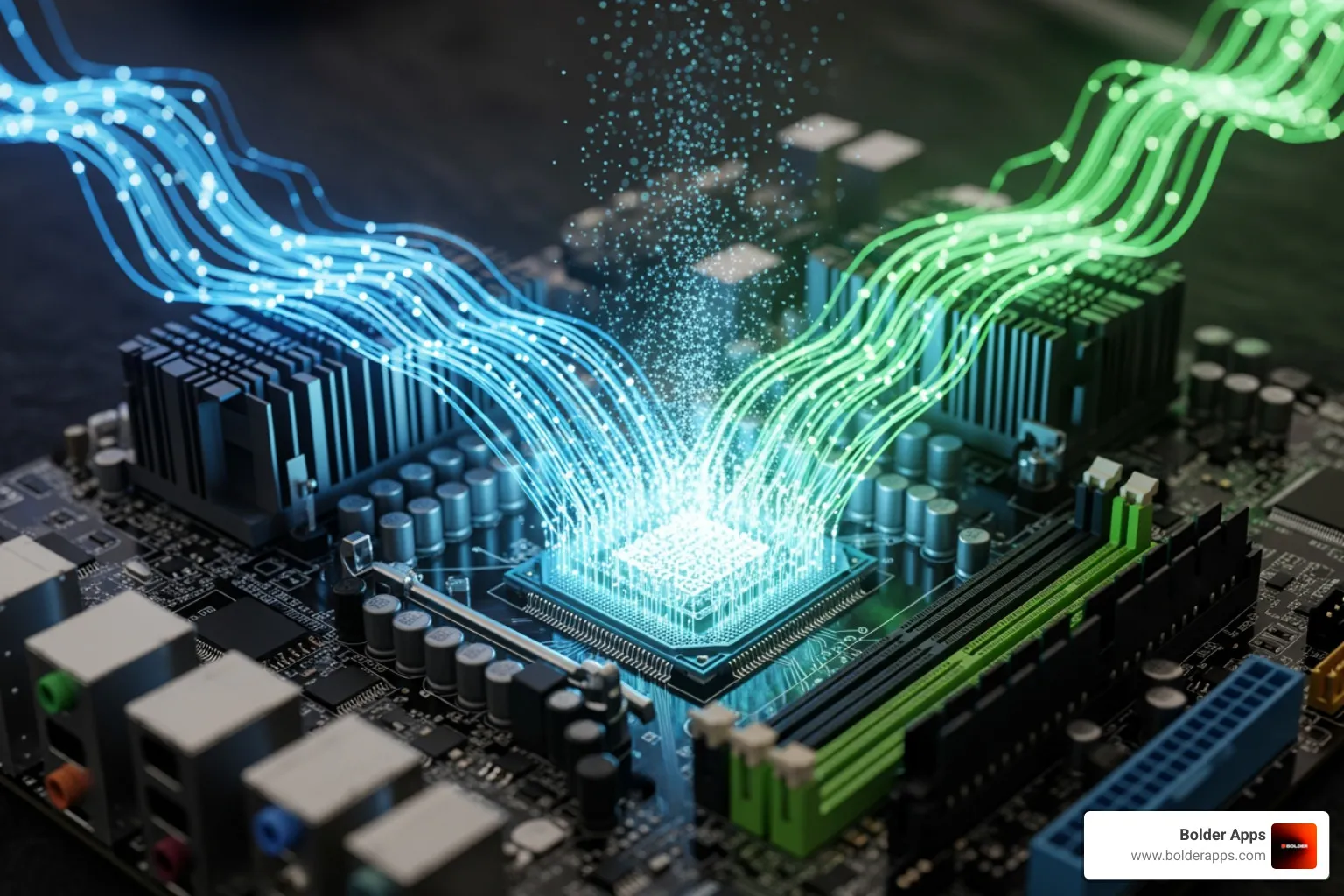
Understanding 101 on The Most Popular Types of Software is a foundational concept for business leaders navigating the digital landscape. At its core, software is the set of instructions that tells hardware what to do, changing a collection of circuits and chips into a functional computer or smartphone.

Quick Answer: The Main Software Categories

  1. System Software - The foundation that runs your device (operating systems, drivers).
  2. Application Software - Programs you use for specific tasks (web browsers, word processors).
  3. Programming Software - Tools developers use to create other software (code editors, compilers).
  4. Specialized Systems - Purpose-built software (cloud apps, embedded systems, AI platforms).

Software powers everything from your phone's alarm to your company's customer management platform. The global software market is booming, reflecting how essential it has become to business operations. It works on a simple input-process-output principle: you provide an input, the software processes the command, and the hardware produces an output.

The key distinction is hardware versus software. Hardware is physical—the screen you're reading this on. Software is intangible—the programs that make the hardware useful. Think of hardware as a car's engine, while software is the driver that makes it go.

For business leaders, understanding these categories impacts project budgets, timelines, and success. Choosing between a web app and a native mobile app, or deciding between ready-made and custom software, requires knowing these fundamental differences.
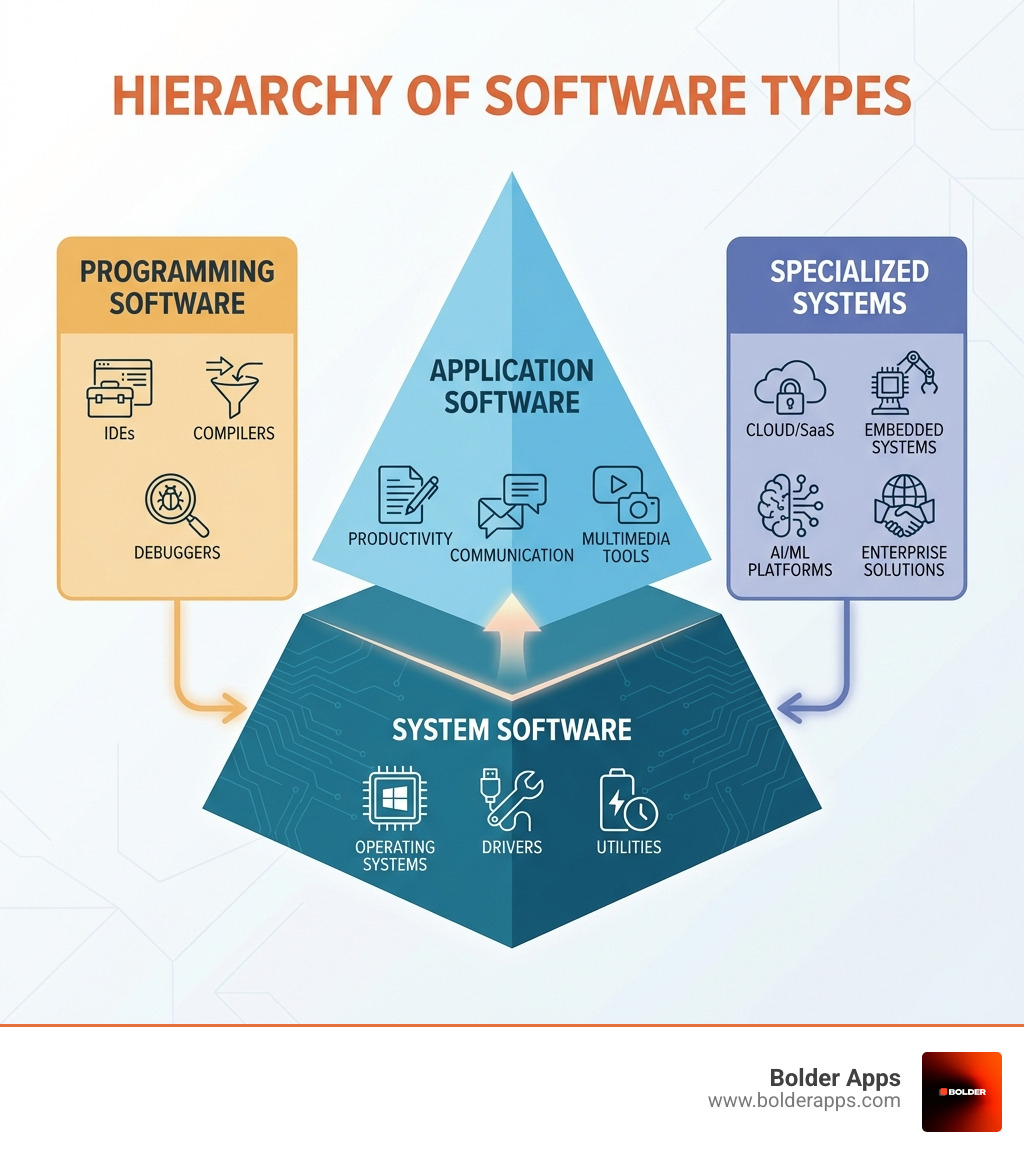
infographic showing the hierarchy of software types: system software at the base (operating systems, drivers, utilities), application software in the middle (productivity, communication, multimedia tools), programming software on one side (IDEs, compilers, debuggers), and specialized systems on the other side (cloud/SaaS, embedded systems, AI/ML platforms, enterprise solutions) - 101 on The Most Popular Types of Software infographic

Learn more about 101 on The Most Popular Types of Software:

The Core Layers: System vs. Application Software

Beneath the apps we use daily lies a complex ecosystem of code, broadly divided into two core layers: system software and application software. Mastering 101 on The Most Popular Types of Software starts with understanding this distinction.

System software is the essential infrastructure that makes your device run. It manages the computer's hardware and provides a platform for everything else. Application software, on the other hand, is designed to perform specific tasks for the user. If system software is the highway, application software is the diverse array of vehicles traveling on it.

This distinction is crucial for businesses, as investment in both foundational and end-user software solutions continues to grow, with the global software development tools market projected to expand significantly by 2027.

System Software: The Unseen Engine

System software is the critical layer that manages and controls the computer's hardware, allowing application programs to run. Without it, our devices wouldn't know how to turn on, save a file, or display an image.
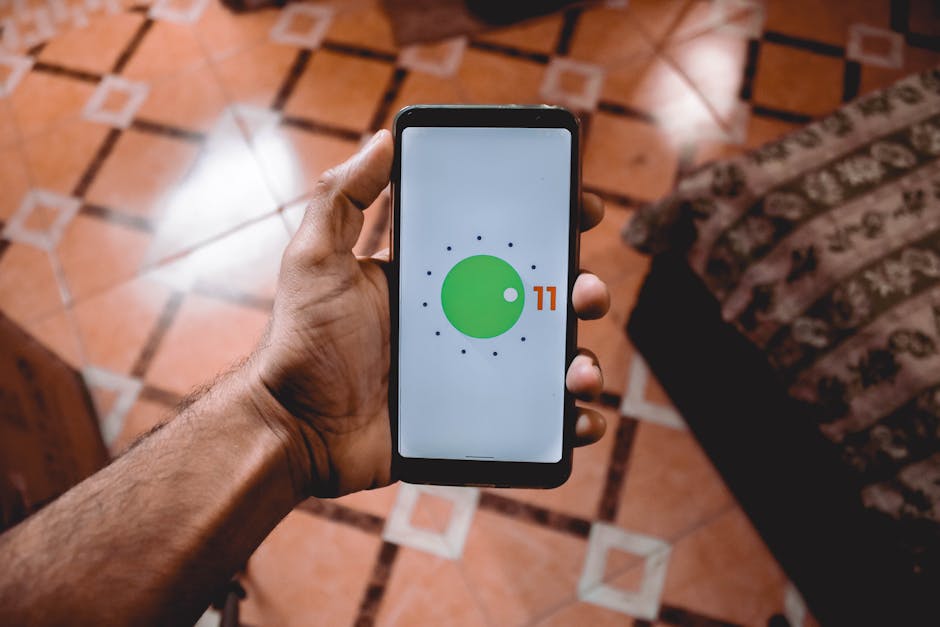
operating system interface - 101 on The Most Popular Types of Software

The most prominent example is the Operating System (OS). The OS is the master conductor of your device, responsible for tasks like:

  • Process & Multitasking Management: Allocating CPU time to each task, allowing multiple programs to run simultaneously.
  • Memory Management: Managing your device's primary memory (RAM) to ensure applications have the resources they need.
  • File Management: Handling all aspects of file storage, organization, and retrieval.
  • User Interface (UI): Providing the interactive layer (usually a Graphical User Interface or GUI) that makes computers user-friendly.
  • User Management: Handling user authentication to keep data separate and secure.
  • Peripheral Management: Managing how your computer interacts with external devices like printers and keyboards.

Common examples include desktop operating systems and mobile OS platforms that make our devices functional and responsive.

Device Drivers: The Hardware Translators

An OS can't natively understand every piece of hardware. That's where device drivers come in. These are special pieces of software that act as translators, containing instructions on how the OS can send commands to specific hardware and receive data back.

Think of a driver as an interpreter allowing your OS and a new printer to communicate seamlessly. This is the essence of "plug-and-play"—when you connect a new device, the OS finds and installs the correct driver automatically.

Utility Software: The System's Toolkit

Utility software is dedicated to keeping your computer running smoothly, efficiently, and securely. These are the tools in your system's toolkit.

Common types of utility software include:

  • Antivirus and Anti-malware: Programs that scan for and remove malicious software.
  • Disk Cleanup: Utilities that identify and remove unnecessary files to free up storage.
  • Backup Software: Tools that create copies of your data for recovery in case of system failure.
  • File Compression: Software that reduces the size of files, making them easier to store or transmit.
  • Firewall Software: A barrier that monitors network traffic to block unauthorized access.

These utilities are essential for maintaining a healthy and secure computing environment.

Firmware: The First Spark of Life

Firmware is a special type of software permanently stored on a hardware device's memory. It's the low-level code that tells a piece of hardware how to operate from the moment it's powered on, before the main operating system even loads.

A classic example is the Basic Input Output System (BIOS) in computers, which is responsible for initializing hardware during startup. Firmware is ubiquitous, found in everything from smart thermostats and washing machines to your car's engine control unit. Its close ties to hardware and its foundational role make it distinct from other software types.

Now let's turn to the more visible side of the digital world: application software. This is the software designed to help users perform specific tasks, solve problems, or provide entertainment. These are the programs that make our devices truly useful.

As we move into an AI-shaped era, staying competitive means being aware of the latest trends. You can learn more in our guide, Application Development in 2026: The Ultimate Guide to the AI-First Era.

Types of Application Software

Application software comes in an incredible variety. Here are some common categories:

  • Productivity Software: The workhorses of the digital office, including word processors, spreadsheet software, presentation tools, and database software.
  • Multimedia Software: For creating and consuming media, such as graphic design programs, video editors, and audio editing software.
  • Web Browsers: Our gateway to the internet, allowing us to access websites and web applications.
  • Communication Software: For connecting with others, including messaging apps, video conferencing tools, and email clients.

A well-designed application makes tasks intuitive. For more insights into how design shapes user interaction, check out More info about our UI/UX Design services.

Programming Software: The Building Blocks

Someone has to build application software, and that's where programming software comes in. Also known as development tools, this category includes programs designed to help developers create, test, and maintain other software.

Key types include:

  • Code Editors: Text editors designed for writing code with features like syntax highlighting and auto-completion.
  • Compilers & Interpreters: Tools that translate human-readable source code into machine-readable instructions.
  • Debuggers: Programs that help developers find and fix errors (bugs) in their code.
  • Integrated Development Environments (IDEs): Comprehensive suites that combine a code editor, compiler, debugger, and other tools into a single interface to streamline development.

The architecture behind any complex software is critical. To dig deeper into how software is structured, explore More info about Software Architecture Design.

Software is also categorized by its licensing model, which dictates how it can be used, distributed, and modified. This is a vital aspect of 101 on The Most Popular Types of Software for businesses.

  • Open-Source Software: The source code is publicly available, allowing anyone to inspect, use, modify, and distribute it. This encourages transparency and community-driven development.
  • Proprietary Software (Closed Source): This software is owned by a specific company, and its source code is kept secret. Users typically purchase a license to use the software under strict terms, which usually prohibit modification or redistribution.

Choosing between them involves weighing factors like cost, support, and customization needs.

Freeware vs. Shareware: What's the Catch?

Freeware and shareware offer different models for access and payment.

  • Freeware: This software is free to use indefinitely, but its source code is not typically available. The developer retains all rights. It offers full functionality at no charge but may have restrictions on commercial use.
  • Shareware: This is a "try-before-you-buy" model. Users can use the software for free for a limited trial period or with limited features. To open up full functionality, users must purchase a license.

Exploring Modern & Specialized Software Systems

Our digital world is constantly evolving, and so is the software that powers it. Beyond the fundamental categories, modern computing has given rise to specialized software systems that define our connected present and future. This section will give you a 101 on The Most Popular Types of Software in the modern era.
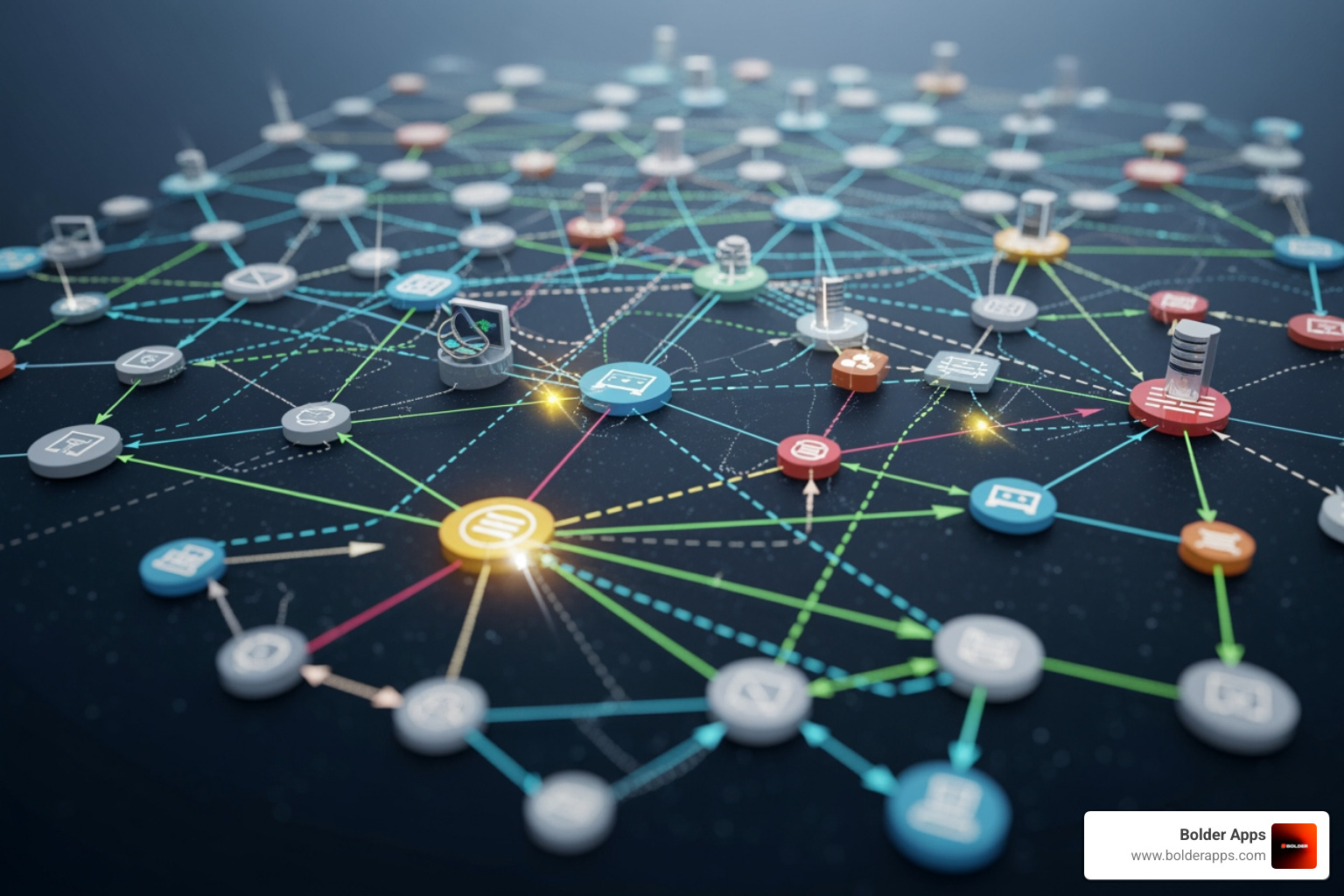
network diagram - 101 on The Most Popular Types of Software

The evolution of software architecture, with concepts like distributed systems and cloud computing, has dramatically changed how we build and interact with technology.

Web vs. Desktop vs. Mobile Applications

One of the most common distinctions in application software today lies in how it's accessed:

  • Web Applications: Run on a web server and are accessed through a browser. They require no installation and updates are seamless, but often need an internet connection.
  • Desktop Applications: Installed directly onto a computer. They often offer richer features and can work offline, but require manual updates.
  • Mobile Applications: Designed for smartphones and tablets, downloaded from app stores. They are optimized for touch interfaces and leverage device-specific features like GPS and cameras.

Each type has its strengths, and the choice depends on the target audience and desired functionality. Learn more about crafting mobile experiences with More info about Mobile App Development and building robust online platforms with More info about Web App Development.

Cloud-Based Applications (SaaS)

Cloud computing has fundamentally changed the software landscape. Cloud-based applications, often delivered as Software as a Service (SaaS), are hosted on remote servers and accessed over the internet.

This model offers immense benefits:

  • Accessibility: Access software and data from anywhere with an internet connection.
  • Scalability: Resources can be scaled up or down based on demand.
  • Reduced IT Overhead: The vendor manages infrastructure, maintenance, and updates.
  • Subscription-Based Pricing: SaaS typically operates on a subscription model, avoiding large upfront capital investments.

This shift has made powerful software more accessible for businesses of all sizes.

Enterprise & Distributed Systems

For larger organizations, specialized software is crucial for managing complex operations.

  • Enterprise Systems: These are large-scale solutions designed to integrate core business processes. Examples include Enterprise Resource Planning (ERP), Customer Relationship Management (CRM), and Supply Chain Management (SCM) systems. You can explore how such solutions can transform your business with More info about Enterprise App Development Solutions.
  • Distributed Systems: In these systems, multiple interconnected computers work together to achieve a common goal. They break down tasks across many machines for resilience and scalability. The principles behind designing large-scale distributed systems are essential for building robust, modern applications.

The market for enterprise software is enormous, underscoring its importance to the global economy.

Several specialized software types address very particular requirements.

  • Embedded Systems Software: This is specialized software integrated into devices not typically seen as computers, like smart appliances, automotive control systems, and IoT gadgets. It is highly optimized and reliable.
  • Real-Time Systems Software: These systems require immediate processing with strict timing deadlines, where failure can have severe consequences. They are used in air traffic control, industrial machinery, and medical devices like pacemakers.
  • AI & ML Systems Software: Artificial Intelligence (AI) and Machine Learning (ML) systems use software to perform tasks that require human intelligence. They rely on specialized algorithms and frameworks to learn from data, make predictions, and automate decisions. Use cases include virtual assistants, recommendation engines, and fraud detection.

Choosing and Developing the Right Software for Your Business

Navigating the vast world of software can feel overwhelming, but making informed decisions is critical for your business's success. When choosing or developing software, we emphasize several primary considerations:

  1. Define Your Business Needs: Clearly articulate the problem you're trying to solve. What specific tasks need automation? Who are the end-users? A clear definition of need is the first step toward finding the right solution.
  2. Ready-Made vs. Custom Solutions:
    • Ready-Made (Off-the-Shelf) Software: These pre-built solutions are often quicker to deploy and more budget-friendly initially, but may offer limited customization.
    • Custom-Built Software: Custom to your unique processes, custom software offers maximum flexibility and a competitive advantage. We believe that for unique challenges, custom solutions are often the best path. Learn more about our approach to Custom Software Development.
  3. Total Cost of Ownership (TCO): Look beyond the upfront price. TCO includes initial investment, operating costs, maintenance, and support. A thorough TCO analysis ensures the long-term financial viability of your choice.
  4. User Experience (UX): The software must be intuitive and enjoyable to use. Poor UX leads to low adoption and inefficiency. More info about Prototype Development is invaluable for testing the user journey before full development.
  5. Scalability: Can the software grow with your business? Choose a solution that can scale efficiently to meet future needs.
  6. Security: Robust security is non-negotiable. Ensure any software you choose has strong measures to protect sensitive data.

By thoughtfully considering these factors, you can select or build solutions that truly empower your business.

Frequently Asked Questions About Software Types

We know that 101 on The Most Popular Types of Software can generate a lot of questions. Here are some of the most common ones we encounter:

What is the main difference between system and application software?

The main difference is function. System software is foundational; it manages the computer's hardware and provides a platform for other software to run. Application software is designed for end-users to perform specific tasks. In short, system software makes a computer run, while application software makes it useful for a specific purpose.

What is the difference between freeware and open-source software?

The key distinction is access to the source code.

  • Freeware is software that is free to use, but the developer retains the rights to the source code. You cannot typically inspect or modify it. Think of it as a free product without the recipe.
  • Open-source software means the source code is publicly available. Anyone can view, modify, and distribute the software under its license, fostering community-driven development. Here, you get the product and the recipe.

How are mobile apps different from desktop applications?

While they can serve similar purposes, they are fundamentally different, a key part of understanding 101 on The Most Popular Types of Software.

  • Platform: Mobile apps are for mobile operating systems (iOS, Android), while desktop apps run on desktop OS (Windows, macOS).
  • Development: Mobile apps are optimized for smaller, touch-based screens and device features like GPS and cameras. Desktop apps are designed for mouse and keyboard interaction.
  • Performance: Mobile apps must be highly efficient with battery and data usage. Desktop apps can leverage more processing power.
  • Distribution: Mobile apps are distributed through app stores, while desktop apps are often downloaded from websites.

Understanding these differences is crucial for any digital product journey. To learn more, explore our guide: Mobile App Development Process in 2026: Ultimate Step-by-Step Guide to Building an App.

We've covered the software landscape, from the foundational system software that breathes life into our devices to the diverse applications that power businesses. Understanding this 101 on The Most Popular Types of Software is a vital skill for any modern business leader.

The right software can be a game-changer, driving efficiency and creating unparalleled user experiences. As technology accelerates, the future is increasingly custom-built. Ready-made solutions often fall short when a business has specific processes or a distinctive vision.

At Bolder Apps, we combine US-based strategic leadership with senior distributed engineers to create high-impact mobile and web applications. Our unique approach ensures you benefit from strategic guidance and top-tier technical expertise, without the risk of junior developers learning on your dime. We operate on a fixed-budget, milestone-based payment model, guaranteeing your project is delivered efficiently, on time, and aligned with your precise business needs.

Don't let software complexities hold your vision back. Let us help you transform your ideas into powerful digital realities.


Build your next high-impact mobile app with us

( FAQs )

FAQ: Let’s Clear This Up

Quick answers to your questions. need more help? Just ask!

(01)
How long does an app take?
(02)
Do you offer long-term support?
(03)
Can we hire you for strategy or design only?
(04)
What platforms do you develop for?
(05)
What programming languages and frameworks do you use?
(06)
How will I secure my app?
(07)
Do you provide ongoing support, maintenance, and updates?
( Our Blogs )

Stay inspired with our blog.

Blog Image
Don't Buy Hours, Buy Velocity: 5 DORA Metrics You Must Demand from Your Dev Partner in 2026

"The framework every founder needs before signing their next development contract."

Read Article
Blog Image
The App Era Is Ending. OpenAI Just Confirmed It.

OpenAI hired the OpenClaw founder to build personal AI agents that work across your entire digital life. This isn't a product update — it's a directional signal. The shift from 'apps you use' to 'systems that act for you' is happening faster than the industry is admitting.

Read Article
Blog Image
Gartner Says 40% of Enterprise Apps Will Have AI Agents This Year. Here's the Uncomfortable Part.

Up from less than 5% in 2025. That's not a trend — that's a phase change. The uncomfortable part isn't the number. It's what the companies building agent-native right now are going to look like compared to everyone else in 18 months.

Read Article
bolder apps logo grey
Get Started Today
Get in touch

Start your project. Let’s make it happen.

Schedule a meeting via the form here and we’ll connect you directly with our director of product—no salespeople involved.

What happens next?

Book a discovery call
Discuss and strategize your goals
We prepare a proposal and review it collaboratively
Clutch Award Badge
Clutch Award Badge

Let's discuss your goals

Phone number*
What core service are you interested in?
Project Budget (USD)*
Thank you! Your submission has been received!
Oops! Something went wrong while submitting the form.